



AI search tools like ChatGPT, Perplexity, and Google AI Overviews have changed discovery. Instead of “10 blue links,” users get direct answers—and those answers often recommend specific brands.
AI Search Visibility tracks your brand’s presence inside those answers. This guide shows you how to set up Amadora.ai to track this in under 10 minutes.
Step 1: Create your Amadora.ai account
Create an account via the Amadora signup page. You will land in the dashboard where all tracking is managed.
Why this matters: AI models are probabilistic and change their answers daily. You need a dedicated dashboard to see the long-term trend rather than a single manual search.
Step 2: Create your first project
A project represents one brand plus its tracking setup.
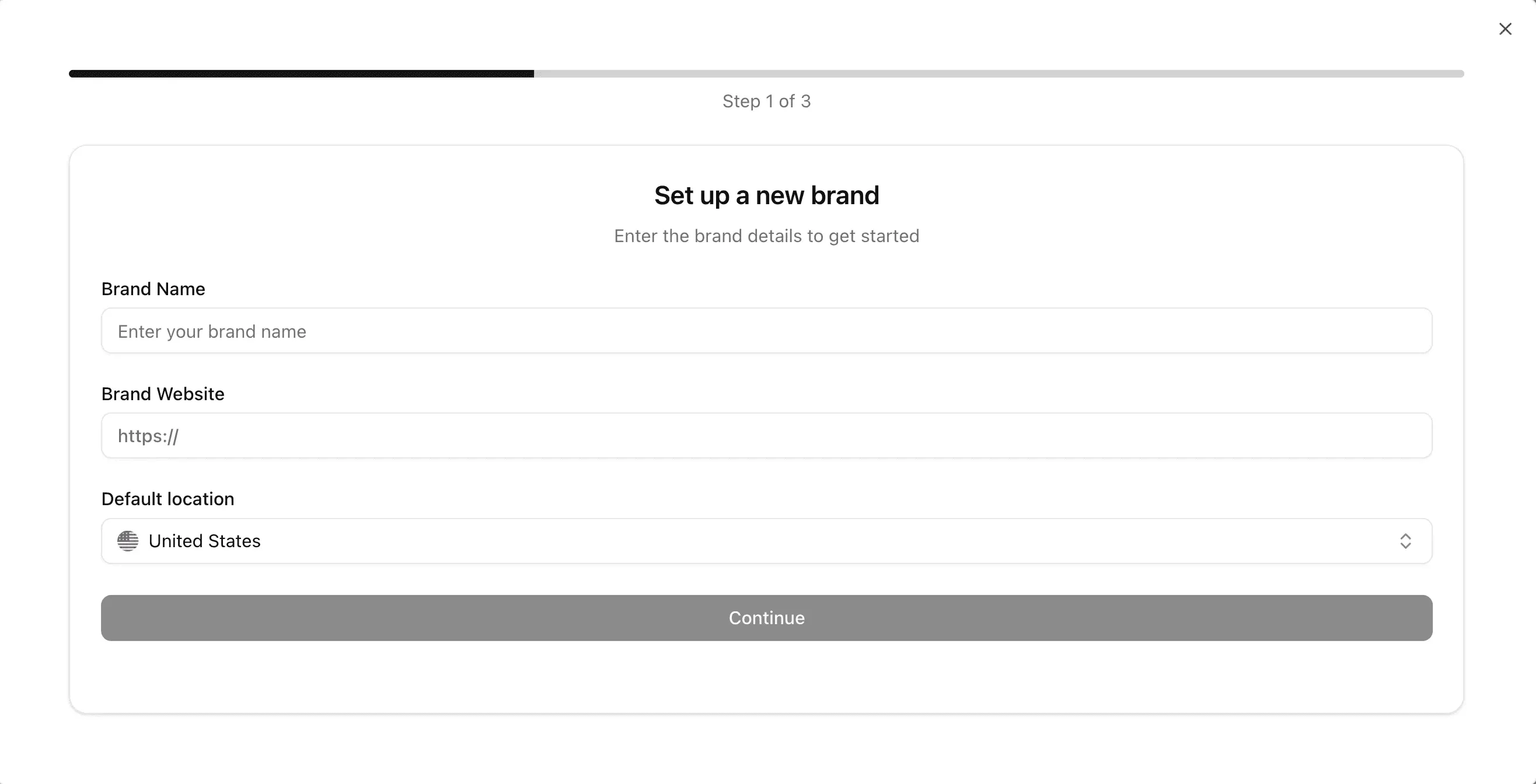
- Enter Brand Details:
- Brand Name: Use the name customers actually use.
- Website: Enter your main canonical domain.
- Location: Select your primary target market (e.g., USA, UK).
Why this matters: AI models generate different answers for users in New York vs. London. Setting the correct location ensures your data reflects your actual customer’s reality.
- Define topics
Goal: Organize your tracking into meaningful buckets.
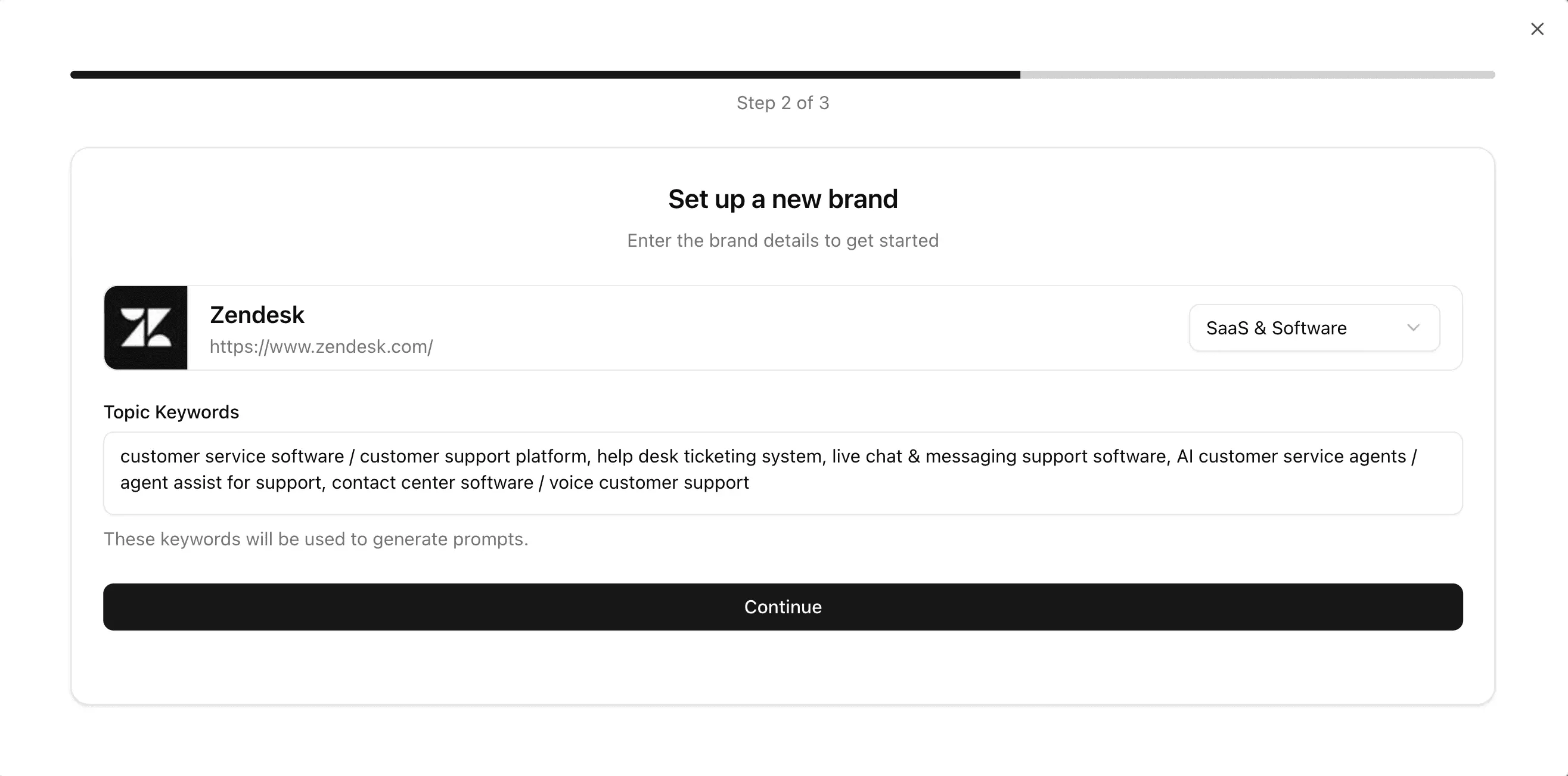
Don’t dump all your keywords in one pile. “Topics” help you categorize your visibility. If you sell software, you might have topics like:
- Feature Specific (e.g., “AI Analytics”)
- Competitor Comparison (e.g., “Brand vs. Competitor”)
- Use Cases (e.g., “Tools for Agencies”)
- Add “High-Intent” Prompts (The Core 15)
Goal: Simulate the complex questions active buyers are asking.
Crucial Update: Do not use generic keywords (e.g., “best shoes”). AI answers are synthesized from authoritative sources, so you need prompts that trigger specific recommendations.
Amadora recommends using the High-Intent Formula:
Bucket + Use-Case + Constraint = High-Intent Prompt
To get a complete baseline, we recommend setting up the “Core 15”—a set of prompts covering the 5 stages of the buyer journey.
Why this matters: Tracking generic keywords is noisy. High-intent prompts simulate real buying decisions, giving you data that actually impacts your revenue.
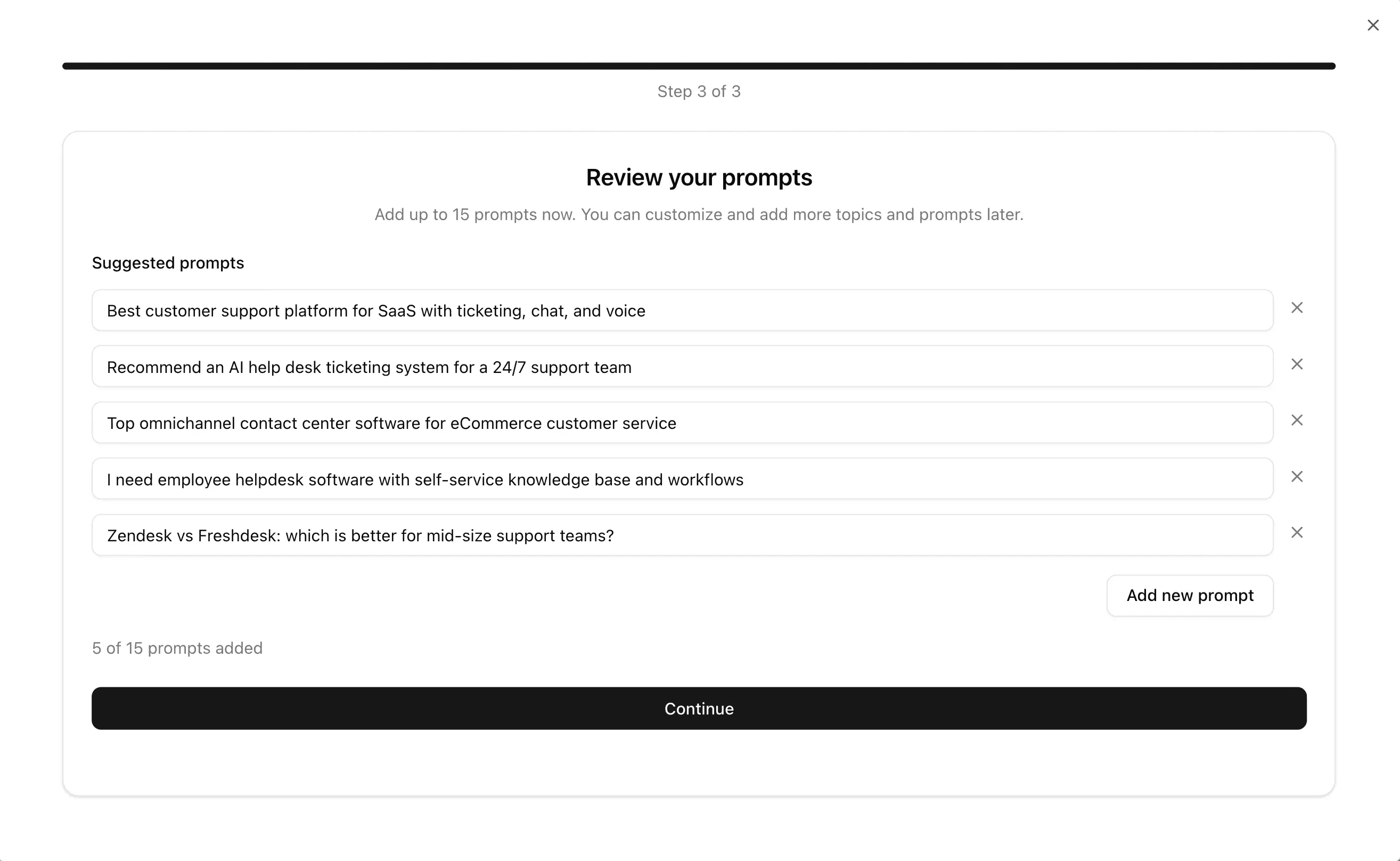
The 5 Essential Prompt Categories:
Category Discovery:
- Formula: “What are the top [Category] for [Specific Use-Case]?”
- Example: “What are the top CRM tools for non-profit organizations?”
Direct Comparison:
- Formula: “Compare [Your Brand] vs [Competitor] for [Feature].”
- Example: “Compare Salesforce vs HubSpot for email automation.”
Alternatives (The “Churn” Bucket):
- Formula: “What are the best alternatives to [Competitor]?”
- Example: “Best free alternatives to Monday.com.”
Strategic Constraints:
- Formula: “Best [Category] under [Budget/Constraint].”
- Example: “Best project management tools under $20/month per user.”
Integration & Evaluation:
- Formula: “Which [Category] integrates best with [Platform]?”
- Example: “Which AI writing tool integrates best with WordPress?”
Deep Dive: Want the full list of templates? Read our guide on How to Build a High-Intent AI Search Prompt Set.
Step 3: Get oriented in the Overview dashboard
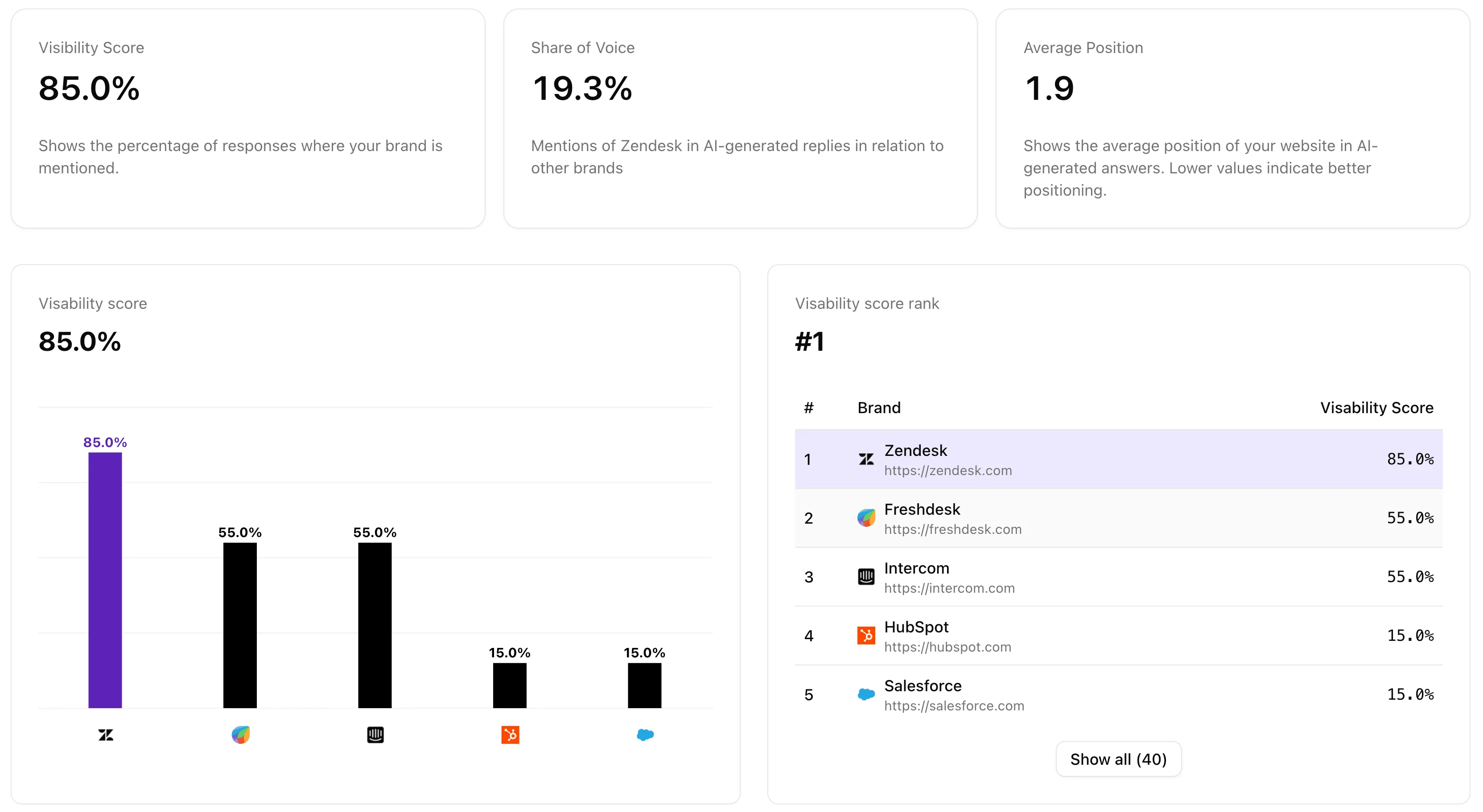
The Overview dashboard rolls up AI-generated answers across platforms, locations, and time. Treat this as your baseline.
Core metrics to know
- Visibility score: The % of AI answers where your brand is mentioned.
- Share of voice: How often you are mentioned relative to other brands in the same answers.
- Average position: Where you typically show up in the text (earlier = stronger positioning).
View options
You can view metrics across all brands mentioned (to discover unexpected entrants) or switch to competitors-only for tighter benchmarking.
Step 4: Use Prompts & Topics to find specific wins and gaps
The Overview tells you “how” you are doing; Prompts & Topics tells you “where.” This is the fastest place to identify specific prompts where you consistently appear and prompts where competitors dominate.
Prompt-level analysis
Click into any single prompt to inspect three specific areas:
1. Brand analysis See exactly how your brand appears relative to other brands for that specific question.
2. Sources and citations (for that prompt) Understand why results look the way they do via three views:
- Domain view: Which types of sites are referenced?
- URL view: Which specific pages are cited?
- Search query view: How the platform interpreted the prompt.
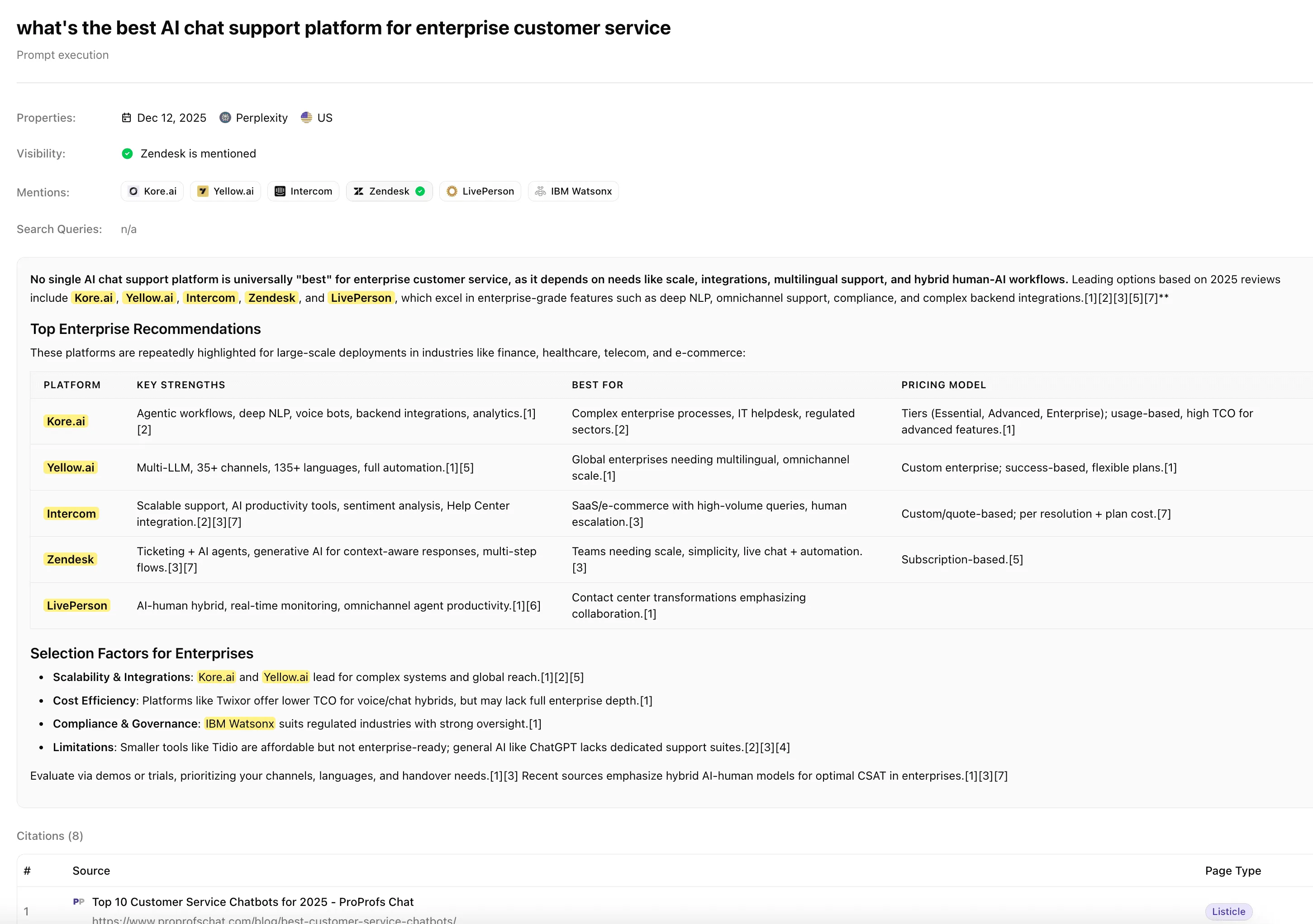
3. Executions (Response-level detail) See the raw data. Each “execution” is one run of a prompt on a specific platform and time. This is useful for diagnosing inconsistencies and reading the exact text the AI generated.
Step 5: Review Sources & Citations (Global View)
While Step 4 looks at citations for a single question, the Global Sources & Citations view shows patterns across all your prompts.
Amadora organizes this into:
- Domain view: Which sites most influence AI mentions of your brand overall?
- URL view: Which specific pages are doing the heavy lifting?
- Usage percentage: Which sources contribute most to your total citations?
Why this matters: This is your “to-do list” for GEO (Generative Engine Optimization). It tells you exactly which third-party sites the AI engines trust to define your category.
Step 6: Manage competitors
Competitor analysis in Amadora is based on brands that actually appear in AI answers, not just a list you upload. This ensures your benchmarking reflects reality. As you gather data, you can refine which competitors you want to track closely.
FAQ
Q: How is AI visibility different from traditional SEO? Traditional SEO tracks your rank in a list of links. AI visibility (GEO) tracks whether an AI model recommends or cites you in a conversational answer.
Q: How often should I check my Amadora dashboard? We recommend a weekly check for trends and a monthly deep dive into “Sources & Citations” to update your content strategy.
Q: Why does my Visibility Score change even if I haven’t changed my website? AI models are constantly being updated with new data. A change in score often means the AI has discovered a new source or a competitor has gained a significant mention elsewhere.
Q: Can I track visibility in specific regions? Yes. You can set the geographic location at the project level to see exactly what users in specific countries are seeing.
Q: Which AI engines should I prioritize? A: It depends on your audience, but currently, ChatGPT (market leader), Perplexity (high intent research), and Google AI Overviews (mass reach) are the standard “Big 3” to track.
What to do next
Once your project is running, follow this 3-step workflow to start optimizing:
- Identify “Low Visibility” Wins: In the Prompts & Topics tab, look for high-intent prompts where your brand is missing but your competitors are mentioned. These are your immediate content targets.
- Audit the “Global Sources”: Go to the Sources & Citations view. Identify the top 3 domains the AI uses to talk about your category. If you aren’t mentioned on those specific domains, prioritize your PR or backlink outreach there.
- Inspect the “Executions”: Open the raw execution of a prompt where you are mentioned. Read the context of how the AI describes you. If the description is outdated, it’s a signal to update the content on your own domain or your partner pages.
Ready to start? Log in to your Amadora Dashboard to review your first set of executions.